Photo Studio
ExperimentalTurn one product photo into angle previews and an interactive 3D model.
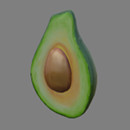
A sample image and matching prebuilt 3D model. No AI queue or processing fee.
- 1Upload a photo
- 2Generate views + 3D
- 3Save or publish
- 4Share a product QR
Add a product photo
One clear object, fully in frame. PNG, JPG or WebP, up to 10 MB.
Use a plain, light background or a transparent PNG. Background clutter can become part of the model.
Your photo stays local until you press Generate. Free service queues and daily GPU limits apply. There is no automatic retry, subscription, or paid fallback.
Already have a GLB model?
Import a self-contained GLB up to 25 MB. It stays local until you publish.
Your 3D preview
Choose your photo, then generate. Your interactive model and angle previews will appear here.
AI estimates hidden surfaces. Colours, labels, shape, and physical size may differ from the real product. Camera AR requires a supported phone.
Saved drafts belong to this browser. Browser cleanup can remove them; download important models. Generating new models needs internet.
Share a published product
Publish your model through the product dashboard, then paste its public product link. A local draft is visible only on this browser.
Creation happens once. Exploring happens anywhere.
The QR opens a published product page. Your existing business account handles hosting, approval, and the public product link. Generation here uses a free external demo; existing account storage and product limits still apply.
Explore the restaurant demo